Free software · your own cloud
Connect your Cloudflare and AI accounts. Teach your assistant your business, quote from your rules and follow every opportunity in your own dashboard.
Setup preview only. This form does not scan your website or find prices.
All software features included · your providers’ quotas and charges apply
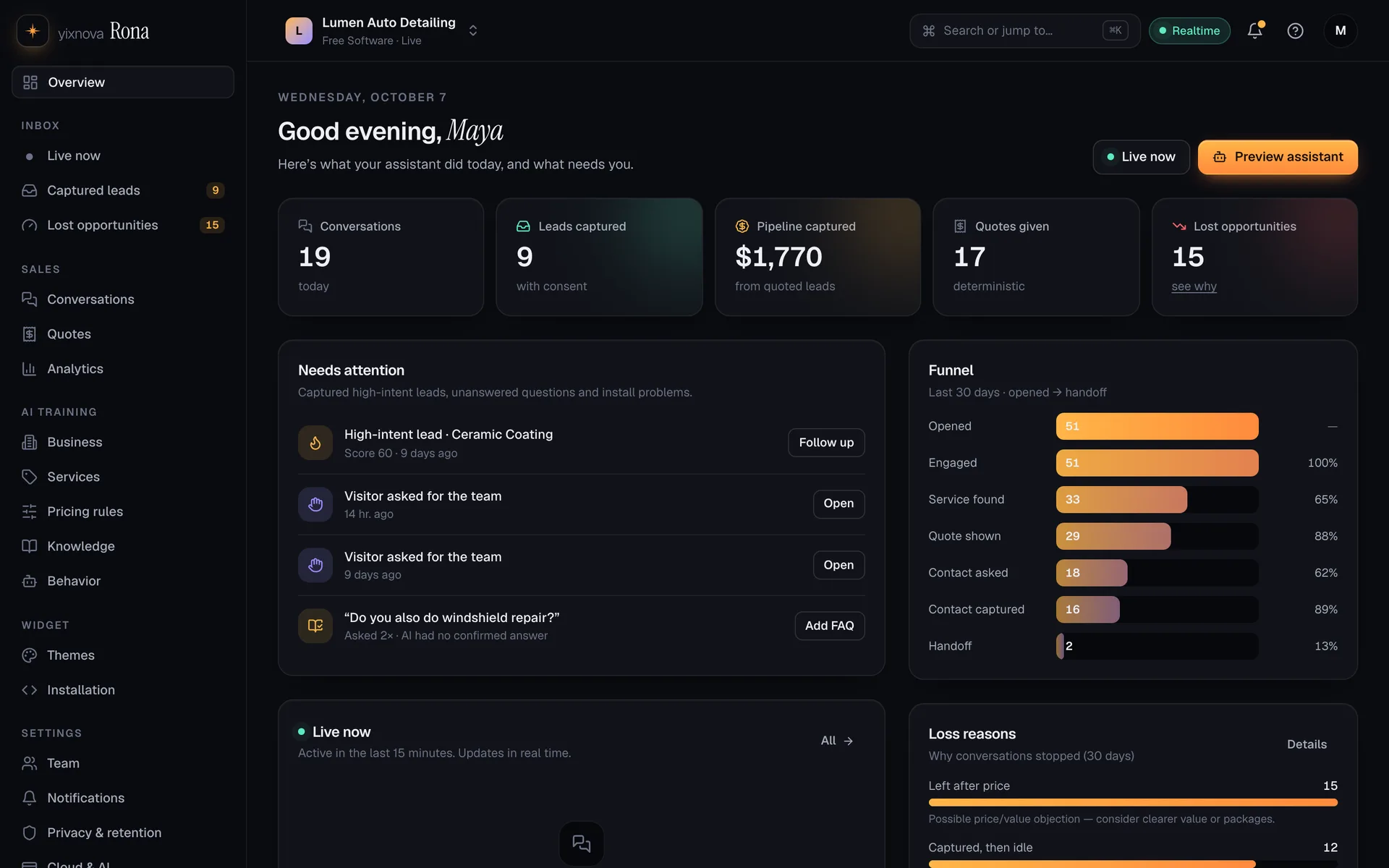
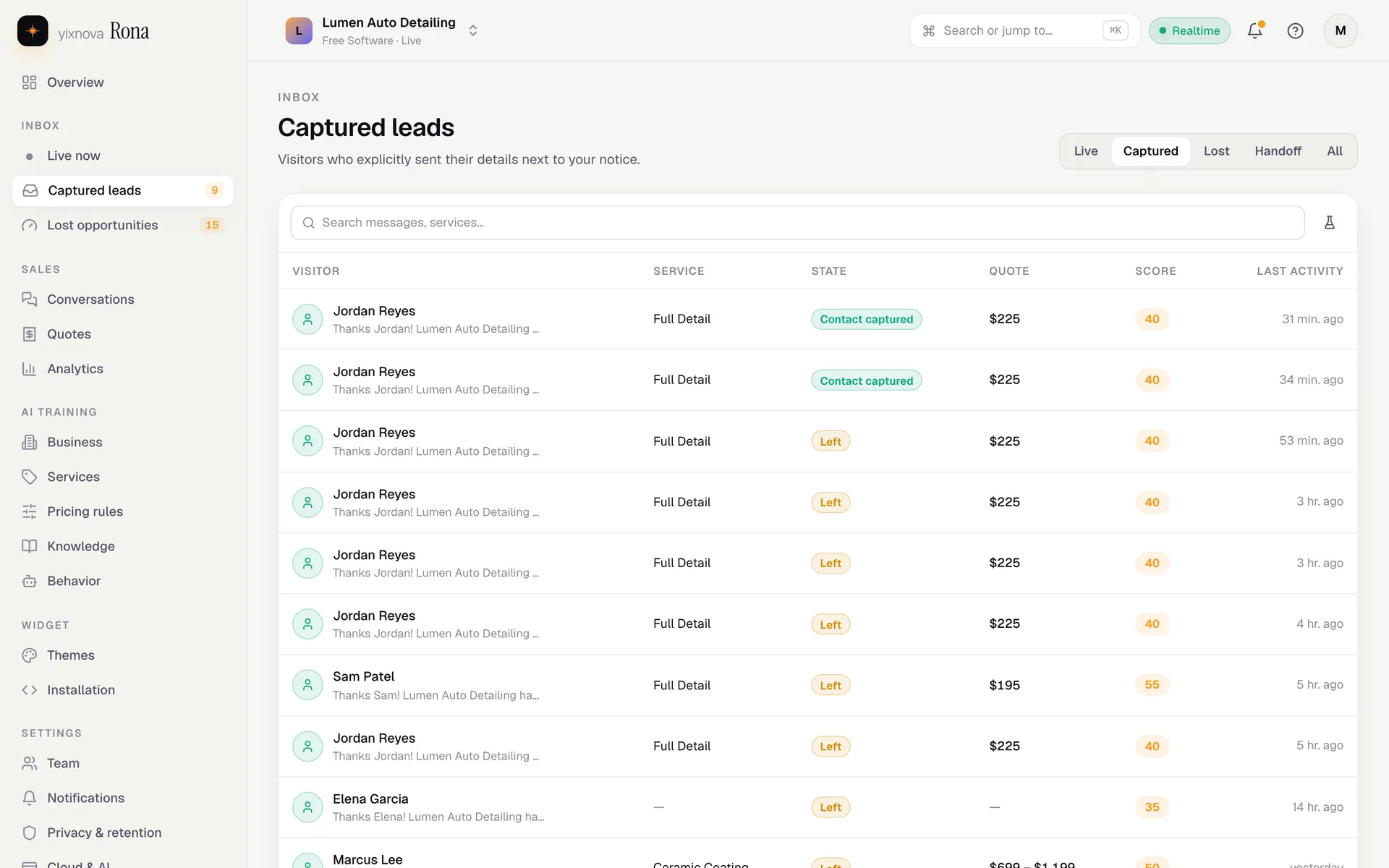
Example dashboard · demo business data, not results from your website.
Ask about prices, hours or service areas. See how your assistant responds using an example business and its pricing rules, right here in your browser.
Lumen Auto Detailing · demo business
You can ask follow-up questions.
Demo business · browser-only preview · nothing is sent or saved
A recorded local demo of the free assistant workflow. First connect your own cloud and AI accounts; then import, quote, capture and follow leads as shown here.
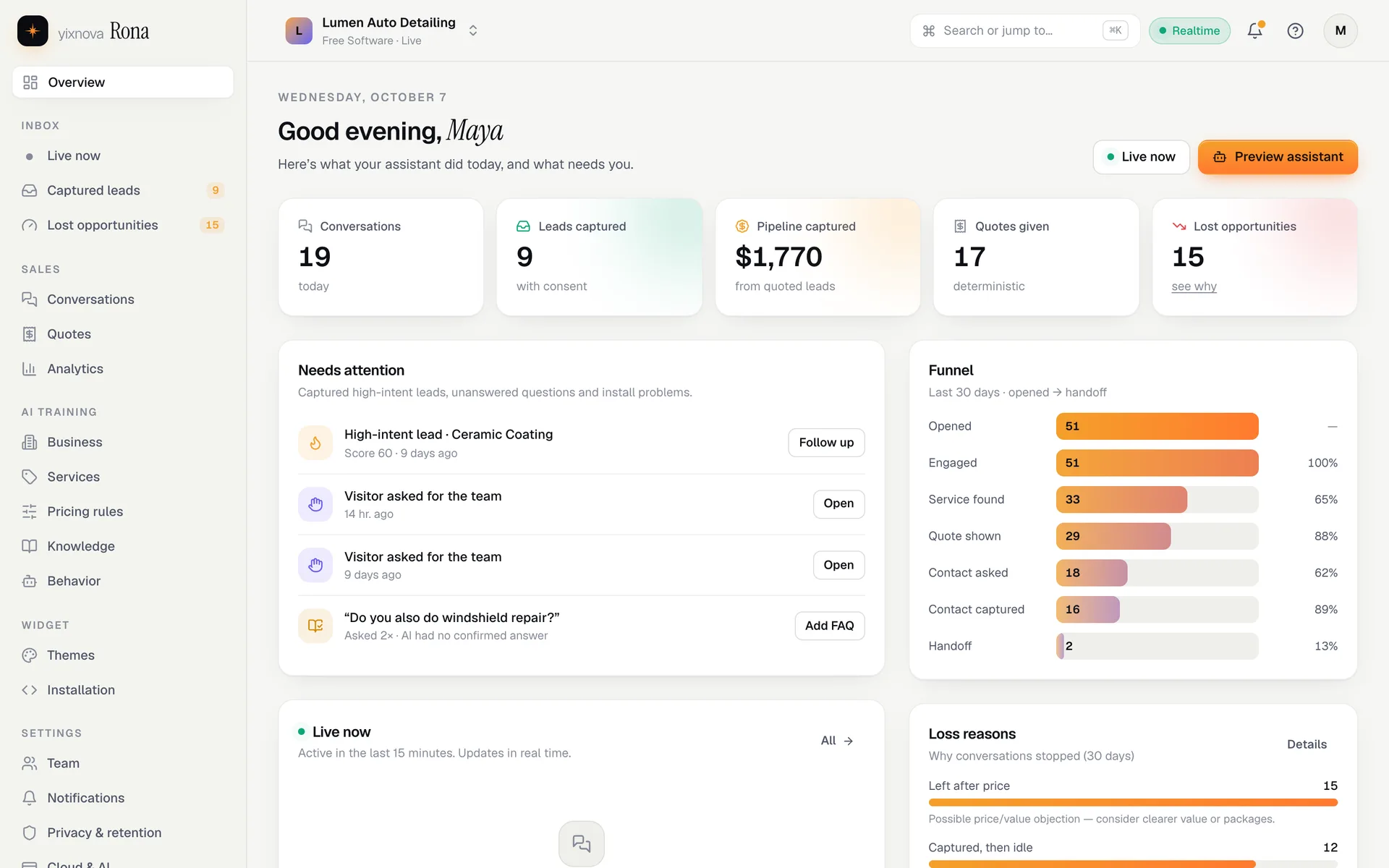
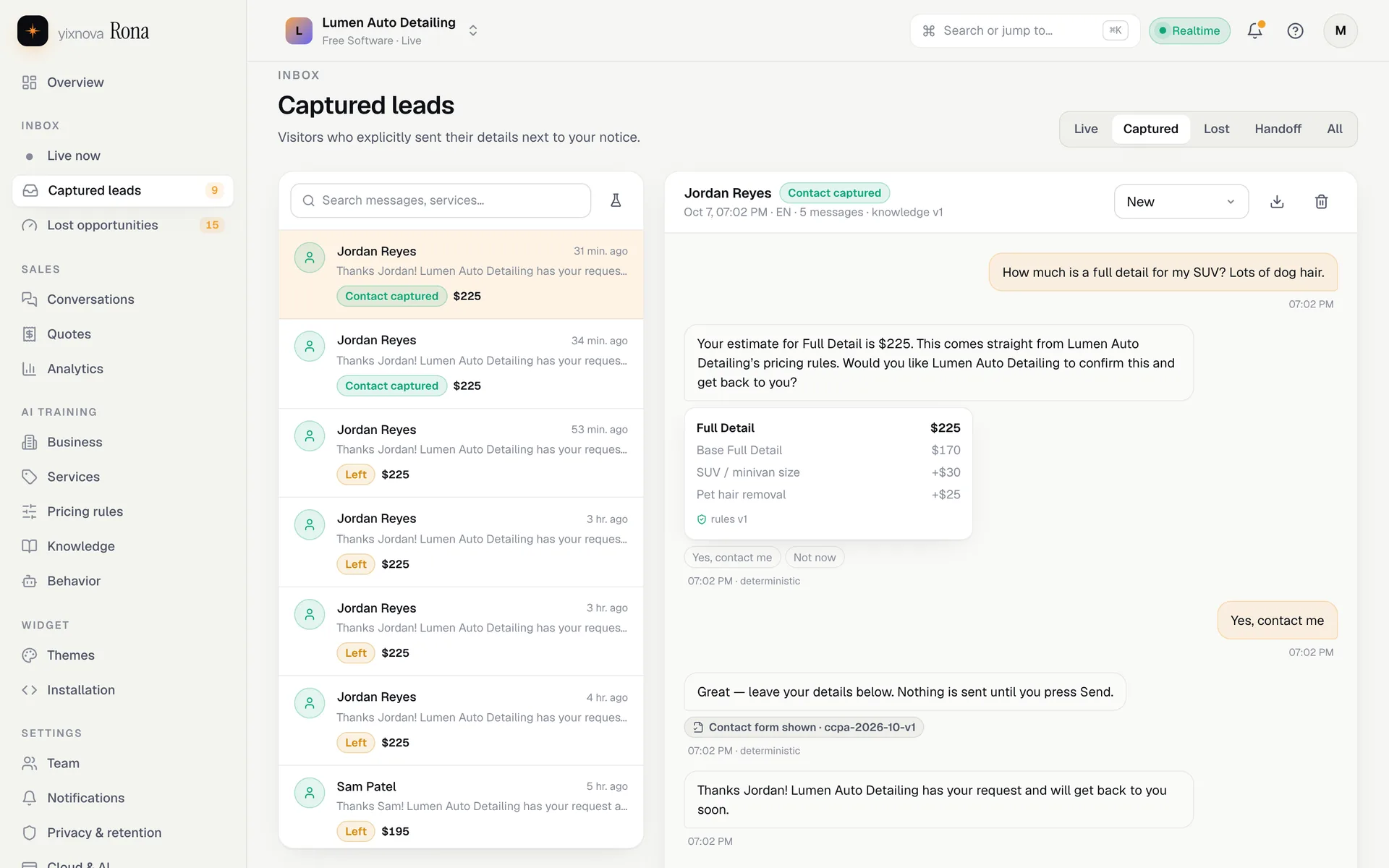
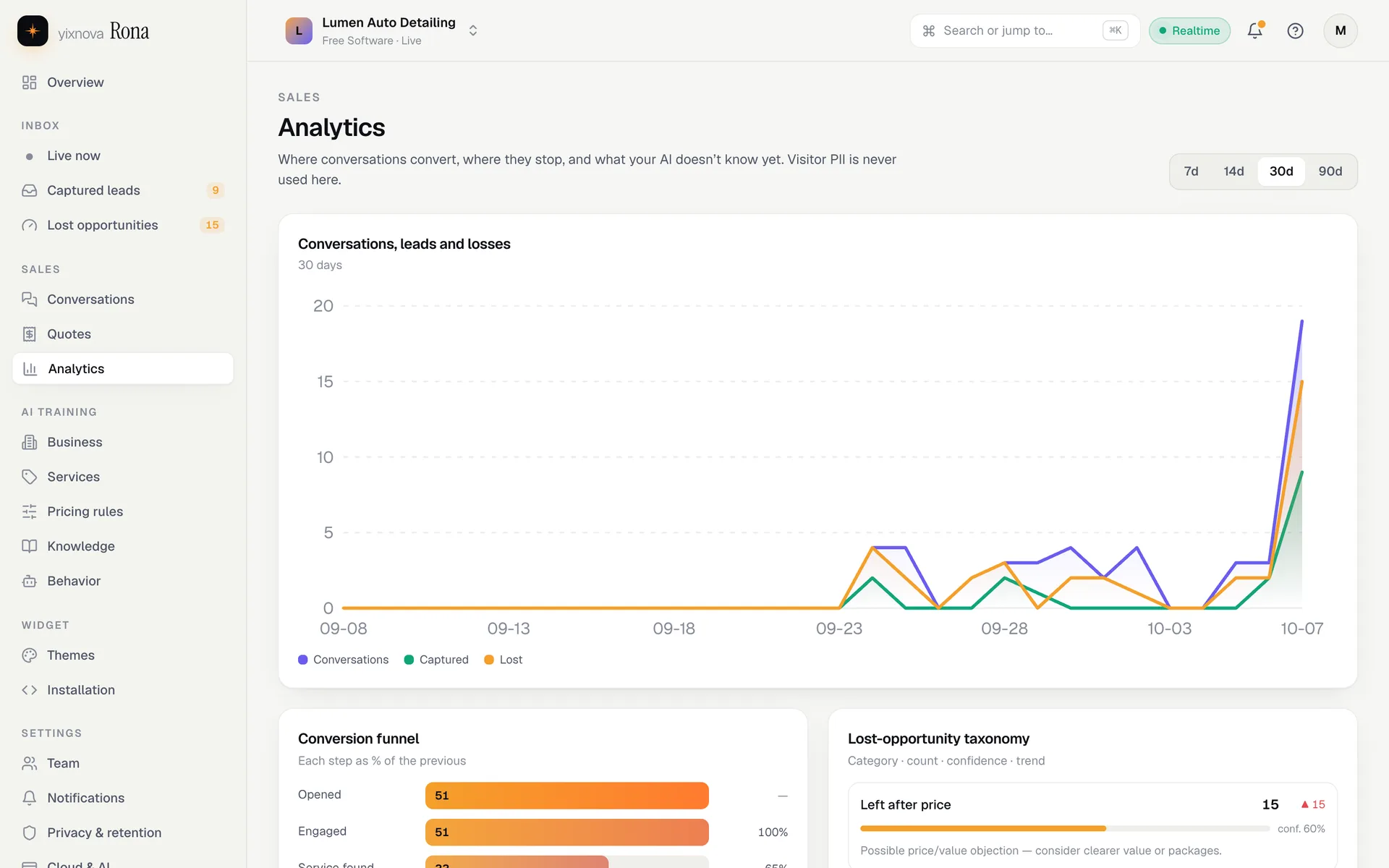
The dashboard runs in your cloud. Explore the free toolkit in these demo-business screens.

Your cloud and AI accounts supply the infrastructure. The full software is free.
Reads your pages and extracts services, prices, hours, areas and FAQs with sources.
Asks only what’s missing, in plain questions, and shows what it understood.
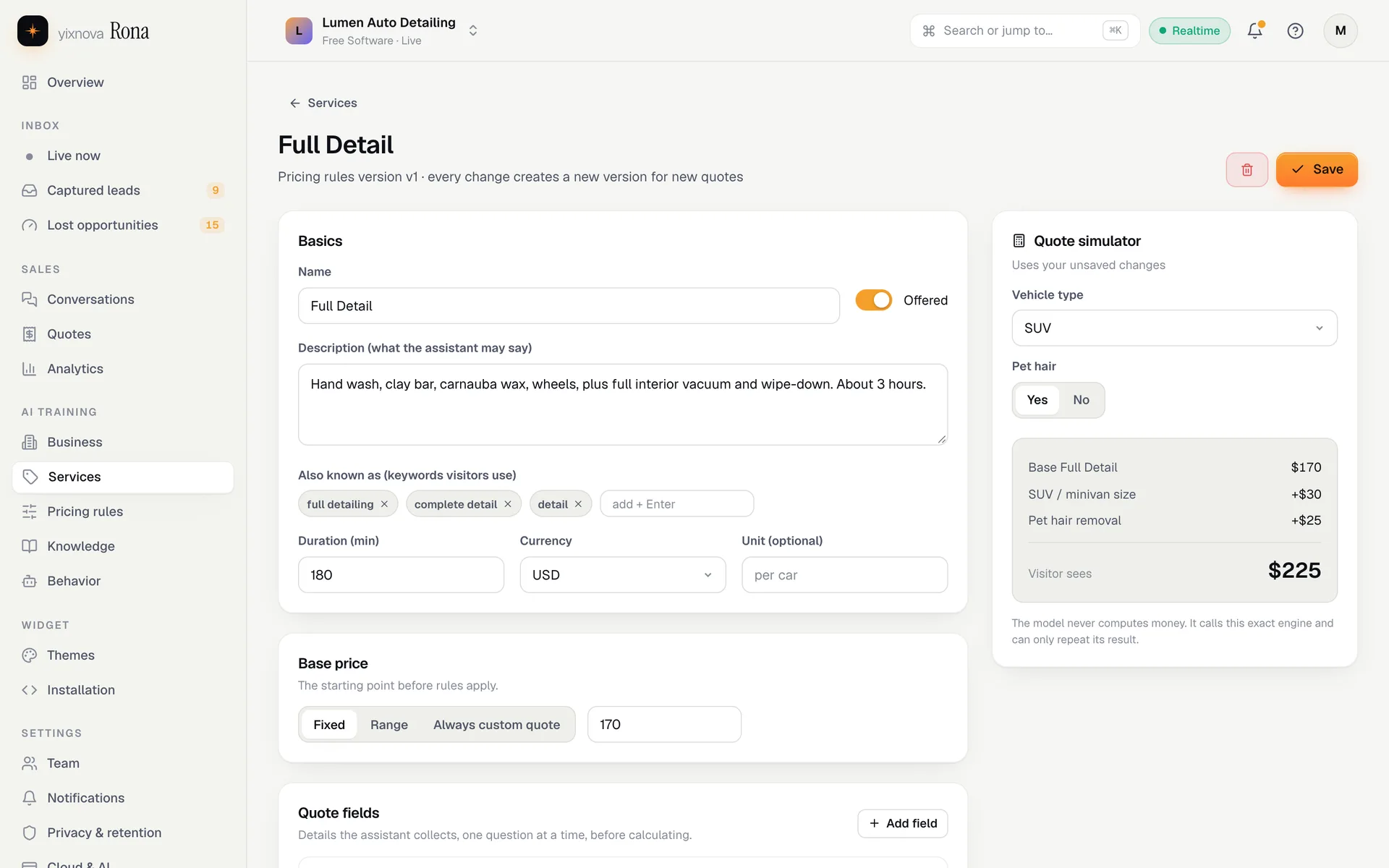
Fixed, range or custom quotes with simple if-then modifiers.
Blocks any amount your rules didn’t produce — even from the AI model.
Realtime conversations, captured leads and handoffs in one place.
An explainable score on every lead, so you call the hottest first.
Where each quiet conversation stopped, and what to fix.
Use your own email provider for actionable notifications. No provider configured? Alerts stay in your dashboard.
Drafts never reach visitors. Publish, compare, roll back.
Verifies your snippet and diagnoses CSP or domain problems.
Owners, admins, members and viewers, with an audit log.
Visible notice, explicit Send, encrypted contact fields.
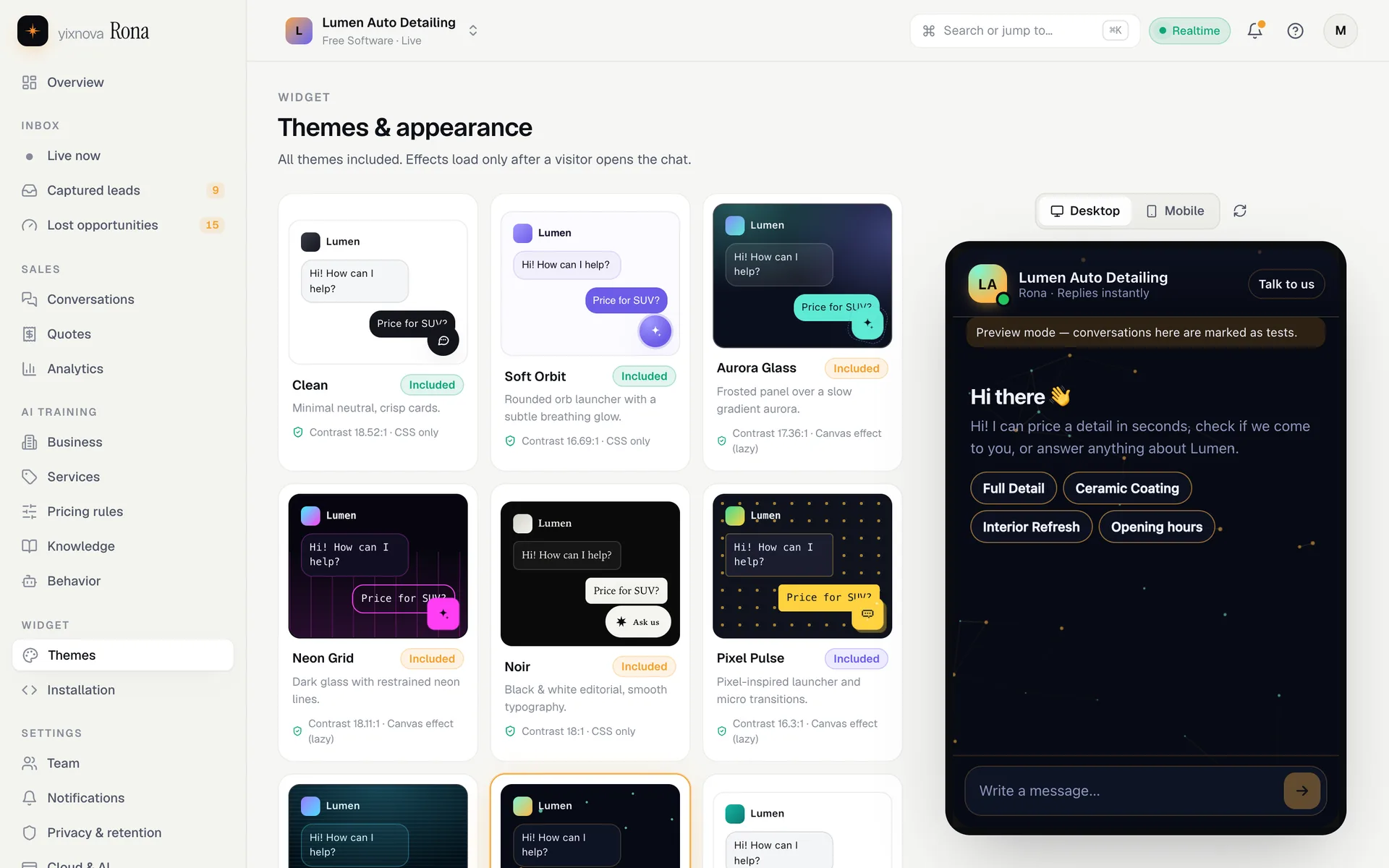
Nine styles, from clean chat cards to aurora glass and living constellations. Match your brand with colors, shapes and animated effects.
Minimal neutral, crisp cards.
Rounded orb launcher with a subtle breathing glow.
Frosted panel over a slow gradient aurora.
Dark glass with restrained neon lines.
Black & white editorial, smooth typography.
Pixel-inspired launcher and micro transitions.
Layered glow with a scan-line micro effect.
Subtle node particles that respond to activity.
Your colors, radius, logo and effect — safe tokens only.
Rules are validated data — not code. Every quote stores its inputs and the rule version that produced it.
If vehicle is SUV → add $30
If pet hair is yes → add $25
If vehicle is bus → custom quote
Money guard
“That’s usually around $199.”
Blocked — not produced by your rules. Replaced with the calculated quote.
Use email/password, or a configured Google or GitHub sign-in.
Provide a restricted Cloudflare token and select your own AI provider.
Your backend, database, dashboard and widget are created in your cloud.
Review your information, choose any theme, test and install on your website.
All software features are included. Your Cloudflare, AI and optional email providers have their own quotas and pricing.
No Yixnova Rona subscription, paid tiers, checkout or feature upgrades. Your account unlocks the full software.
Create free accountCloudflare and your AI provider supply the infrastructure. Their free allowances, limits and any usage charges belong to your account.
Yixnova Rona does not pay for your AI calls or upgrade your provider plans.
See what you needBusiness knowledge, conversations and contact details stay in your own database.
Cloud tokens are request-only. AI and email keys are installed as secrets in your Worker.
Each query and realtime channel is scoped to the authorized business.
Yixnova Rona does not train a shared model. Review your chosen provider’s data terms.
Yes. Every theme and software feature is included. Your Cloudflare, AI and email providers have their own quotas and charges.
A Cloudflare account with a workers.dev subdomain and a restricted deployment token. Choose Workers AI or supply a supported external AI provider key.
The cloud token is used only during installation. Your AI key is placed in your own Worker secret settings, not in the central database.
Google sign-in supports Gmail accounts. Provider buttons are enabled once the administrator configures their OAuth applications. Email/password is also supported.
Prices are calculated from your deterministic rules. A money guard checks model output against those rules.
Supported deterministic answers, pricing and request capture remain available when AI calls cannot complete. Cloud outages still affect your installation.
Visitor conversations run in your cloud. Set a local password in your own dashboard for direct sign-in and keep your database and encryption-key backups.
The interactive preview runs locally in your browser. The video shows a local demo business after setup; a real installation needs your own cloud and AI accounts.
Create an account, connect your providers and use every software feature for free.